![KK Icon.png]](https://knowledge.kidkare.com/hs-fs/hubfs/KK%20Icon.png?width=40&height=40&name=KK%20Icon.png)
Beacon Verify is a command center for managing CACFP claims across your network of providers. Rather than navigating to each provider individually, the dashboard shows claim status, errors, readiness, and estimated reimbursement for your entire organization — all in one place.
Pre-Claims Processing
Use Beacon Verify to track claims progression and enrollment in real-time throughout the current month. For example, a quick review of June 2026 for Home Sponsor Adam shows that we have three (3) providers with expired enrollments.
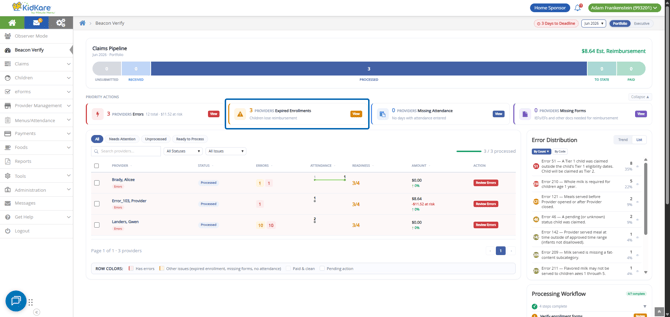
Let's address these expired enrollments.
- Click View on the Expired Enrollments Priority Action. A list of providers with expired children displays.
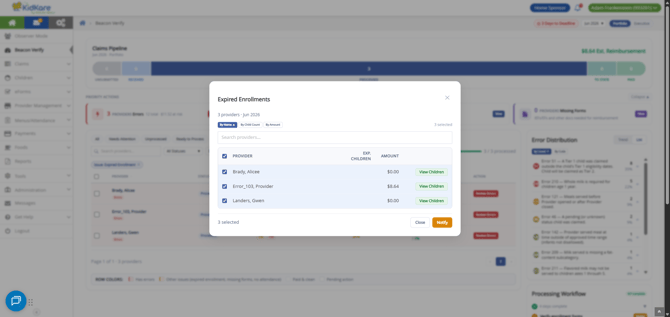
- From here, you can sort by provider name, child count, or amount. You can also search for a specific provider to view.
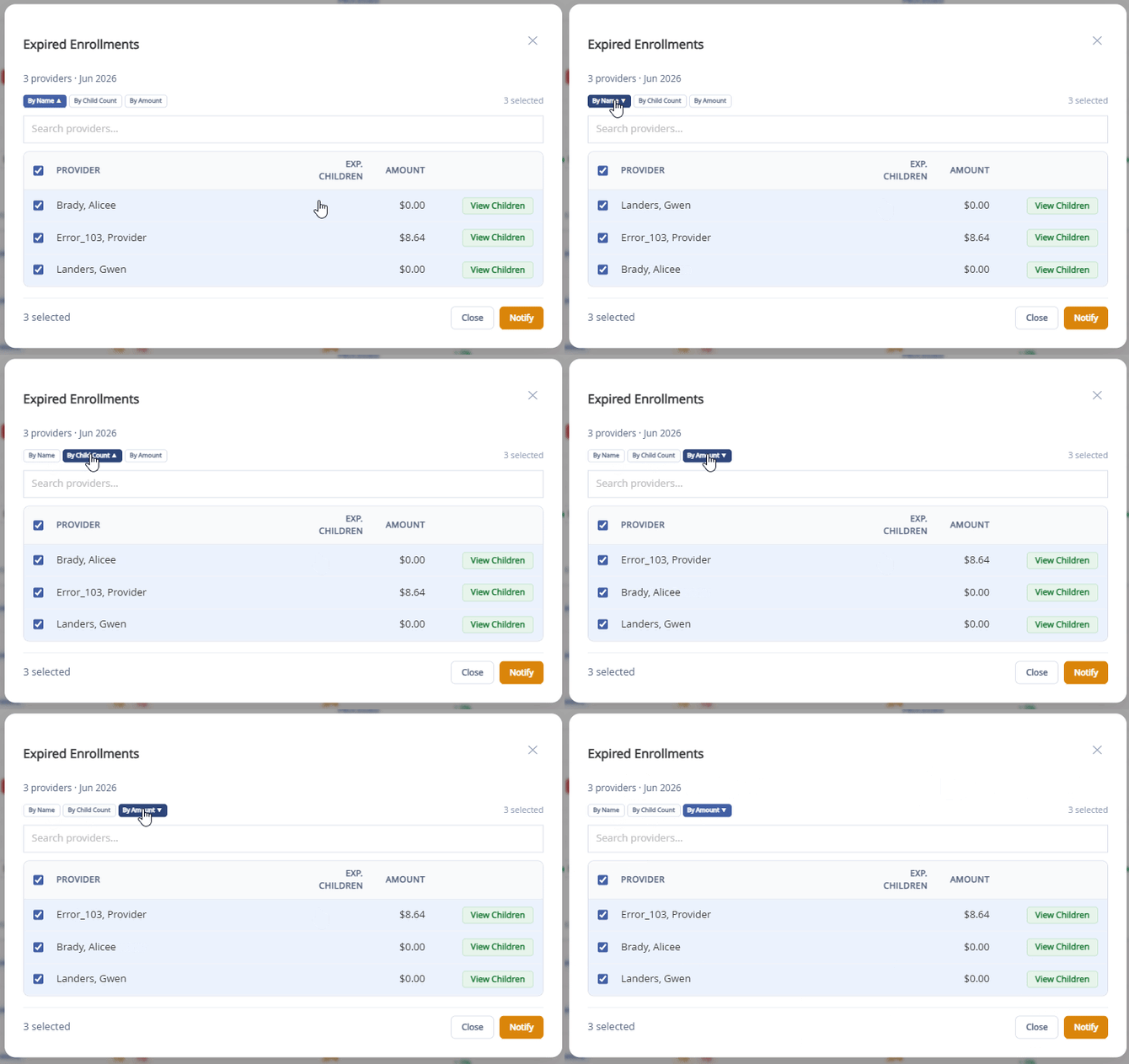
- Next, choose the action you want to take:
- Click View Children next to a provider to view a list of expired children and review and update, as needed.
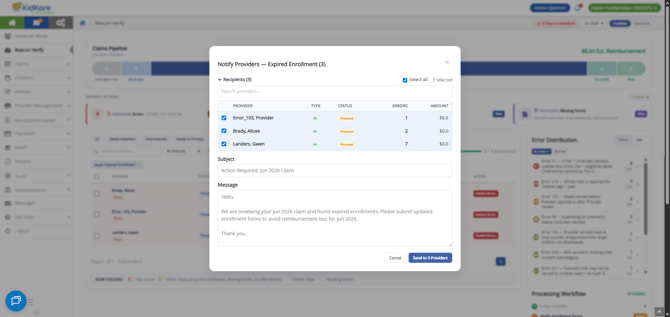
- Click Notify to send a message to all selected providers regarding expired child enrollment. This could be a gentle nudge to the provider to collect updated forms from parents.
Additional Items to Watch for Throughout the Month
As the month progresses, you can continue to monitor the real-time Beacon Verify dashboard to track site progress towards claims. Submission deadlines are tracked directly on this dashboard, called out in a yellow banner above the detail table, and next to the Month filter at the top of the page.
- Nearing the end of the month? Check to see where your providers are in recording attendance and meal counts, and prod them to get their data entered.
- Received manual claims? Mark those ready for processing from the Claims Pipeline.
- Need to watch one site a little closer this month? Cross-reference current claims against prior months for any oddities or issues you may need to get ahead of.
Claims Processing & Finalization
As you begin processing claims for a given claim month, use Beacon Verify as your one-stop-shop to monitor, research, and resolve claim errors. With error tracking put in place, you can get ahead of the errors as they arise.
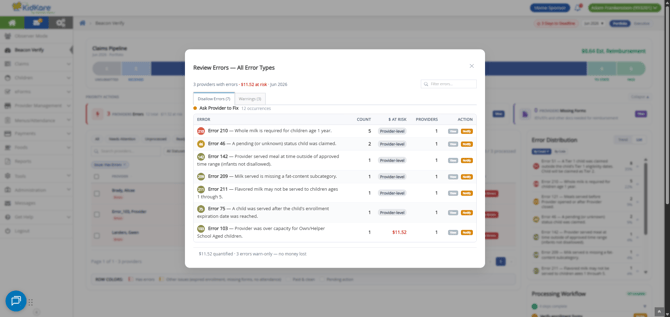
When a provider has claim errors, use the Errors priority card or the provider's Review Errors action to open the error review. Errors are grouped to help you decide what to do:
- Ask Provider — the provider needs to correct something.
- Nuanced — the error needs your review and judgment.
- Informational — for your awareness; no action is usually required.
Each error shows how many times it occurred, the dollars at risk, and suggested resolution guidance. From here you can notify the provider or open the individual records behind an error to see the child, date, and meal involved.
IMPORTANT! Beacon Verify updates a provider's error count after the claim is reprocessed. Correcting the underlying information does not clear an error on its own until the claim is processed again.