![KK Icon.png]](https://knowledge.kidkare.com/hs-fs/hubfs/KK%20Icon.png?width=40&height=40&name=KK%20Icon.png)
If your center is using Parachute or the KidKare API, you can choose where your attendance data comes from and set your account up accordingly in Attendance Configuration. This is accessible from your Site Details.
Important! If you are already using Parachute, you cannot set your attendance configuration to Manual Entry, and this option will be hidden. If you are using manual entry and switch to Automatic Import, you will be unable to manually enter attendance in KidKare Food Program.
- From the menu to the left, click Administration and select Site Details. The Site Details page opens.
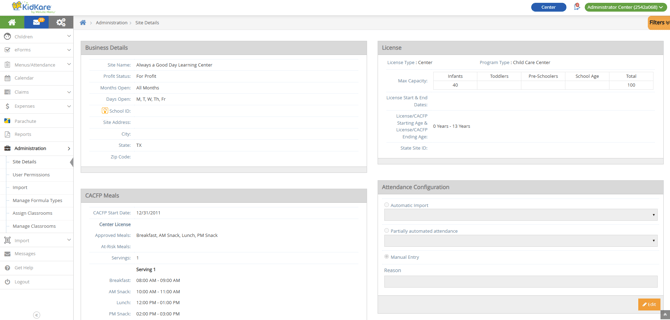
- Click Edit in the Attendance Configuration section.
- Choose one of the following options:
- Automatic Import: Select this option if you plan to automatically import attendance data from Parachute or via the API. If you choose this option, you must select an attendance source from the corresponding drop-down menu.
- Partially Automated Attendance: Choose this option if you plan to automatically import attendance data from Parachute or via the API, but still require data entry capabilities. If you choose this option, you must select an attendance source from the corresponding drop-down menu.
- Manual Entry (default): Choose this option if you do not plan to automatically import attendance from an outside source. This is the default setting for attendance.
- Click the Reason box and enter a reason for the setting, if needed.
- Click Save.