![KK Icon.png]](https://knowledge.kidkare.com/hs-fs/hubfs/KK%20Icon.png?height=40&name=KK%20Icon.png)
Update your login information whenever you need by using the My Account page.
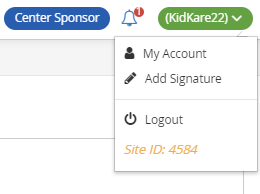
- In the top-right corner, click your username and select My Account. The My Account page opens.
- To update your password:
- Select Click to Reset.
- Enter a new password.
- Click the checkmark to save your changes.
- To change your username:
- Click
 in the top right corner.
 - Click the Username box and enter your updated username.
- Click Save.
- Click